Volt
FreeElectric blue running into cyan and jade: bold, saturated, lit from inside.
Features · Themes
A theme is the colours, the ground around the sheet, the type and the corners. Never the content: switch it and the deck stays the same deck. Every slide below is drawn by Dossier.
Two on every plan, two more on Pro. A deck or a doc picks one, and the editor's canvas follows as you pick.
Electric blue running into cyan and jade: bold, saturated, lit from inside.
Greys from pencil to charcoal and one signal green: near monochrome, the accent means it.
Petrol, slate and sea glass in a morning mist: cool, quiet, nothing shouts.
Moss, umber and ochre on cream paper: warm and editorial, a printed quarterly.
Pro
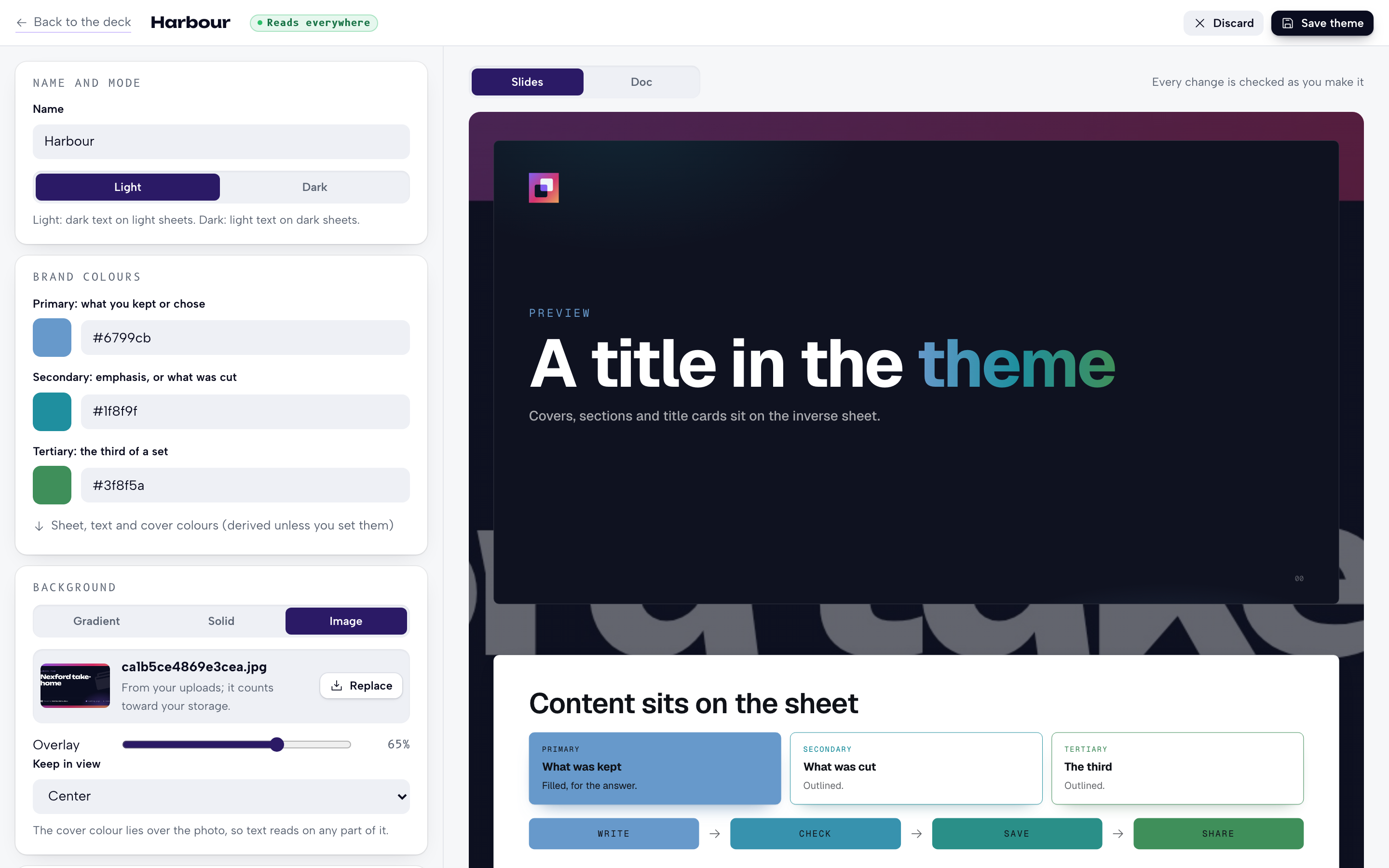
Make one in the editor, or let your agent write it. Same checks, same answers.
{
  "name": "Harbour",
  "mode": "light",
  "colors": {
    "primary": "#2476c6",
    "secondary": "#ce4515",
    "tertiary": "#1b9680"
  },
  "background": {
    "type": "gradient",
    "angle": 135,
    "depth": 30
  },
  "fonts": {
    "display": "Space Grotesk",
    "body": "Inter",
    "mono": "JetBrains Mono"
  },
  "radius": 8
}
$ dossier theme check themes/harbour.json
colors.tertiary: Neither the light ink (3.67:1) nor the dark one (4.49:1) reads on tertiary (needs 4.5:1). Pick a darker or a lighter colour. Try #219983.
1 issue.
The agent sets tertiary to #219983.
$ dossier theme check themes/harbour.json
Readable everywhere. dossier theme new <file> saves it.
$ dossier theme new themes/harbour.json
Saved Harbour as c-7k2m9q4x. A deck uses it with "theme": "c-7k2m9q4x".Three brand colours, plus the sheet, the text and the covers if you want them.
A gradient through your colours, a solid colour, or a photo under an overlay.
Eight for titles, five for text, three for labels. All served by Dossier, none from Google.
From square to round, on sheets and cards alike.
Top left of covers, top right of sections and doc title cards.
Dark text on light sheets, or the other way round.
Every colour is measured where it lands. A refusal names the field, the contrast and the nearest colour that passes.
Only your workspace can list, read or use it. Not other workspaces, not their agents.
Decks follow the latest. Any version can be restored.
Decks keep their look. The theme becomes read-only until you're back on Pro.
Slides, docs and the PDF wear the theme. So do the email gate and the card a link unfurls into, on every plan.
Private beta